What is Computational Thinking?
When hearing the words computational thinking, it would not be strange for someone to think that they refer to the way computers work, or perhaps may think of them as referring to programming languages. However, these are only small parts of what we mean by computational thinking. NESA defines computational thinking as the thought process involved in formulating a problem and expressing its solution(s) in such a way that a computer – human or machine – can effectively carry it out. Adding on to this, Wing (2006) states that computational thinking is a way humans can solve problems, not simply a way computers calculate, as humans are smarter and more imaginative than computers. Whilst having its roots in computer science, computational thinking can be used to aid in the teaching of a number of different disciplines including mathematics, science, language and programming (Hsu, Chang & Hung 2018).
How can Computational Thinking be used in the classroom?
The process of computational thinking can be broken down into the following stages:
- Decomposition
- Data Analysis
- Abstraction
- Algorithm Design
- Transferring
Following these steps can be done so in conjunction with a number of different learning tools to help develop not only computational thinking, but also student creativity.
Learning Tools
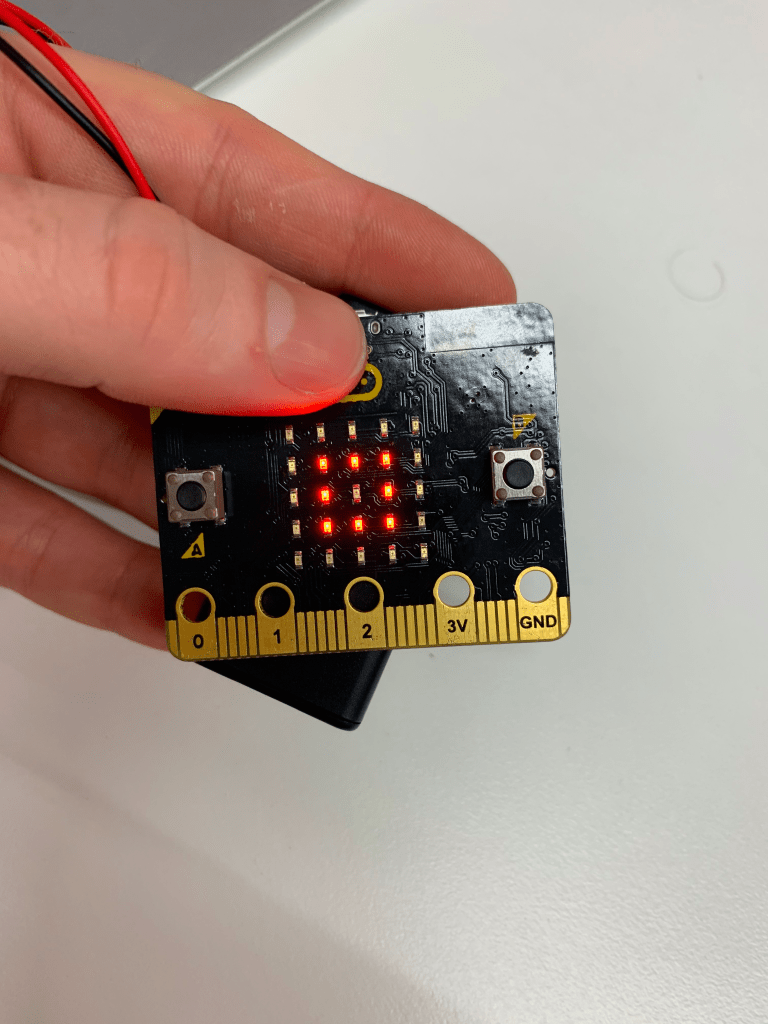
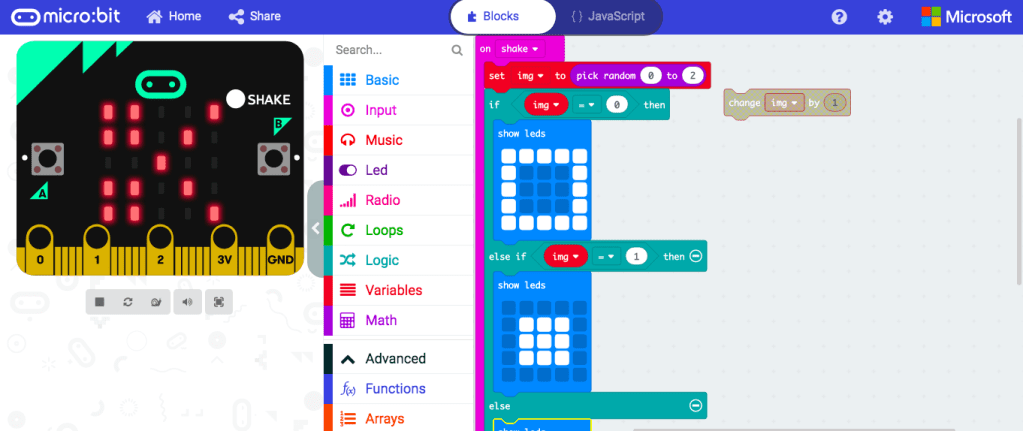
Microbit is a physical computing device that is equipped with a number of physical features such as LED lights, buttons and and a USB connector. Students can program the Microbit to perform a number of different functions using blockly, a type of programming language that is assembled using ‘blocks’ of code. This does not require a strong knowledge of coding, however, students must follow the computational thinking process in order to create their desired functions on the Microbit. Microbit can be applied to many different subjects, such as science, where it can be programmed to measure electrical conductivity. It could also be programmed to measure steps taken during physical education.
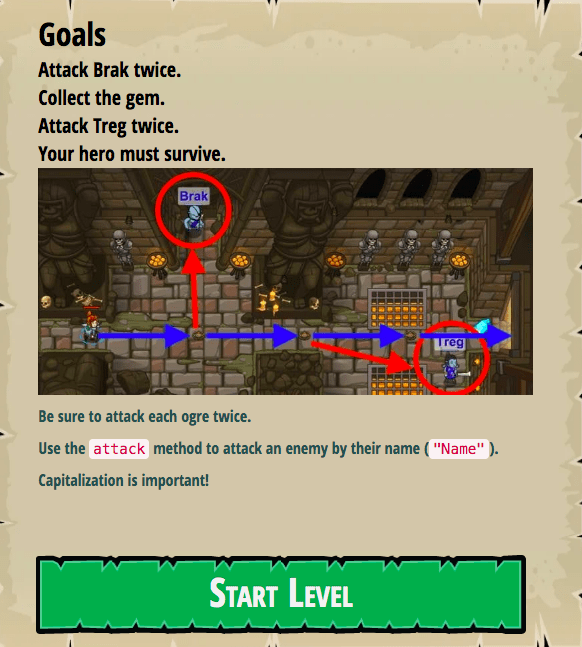
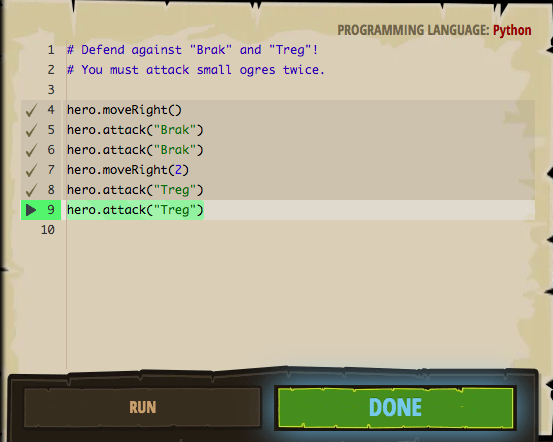
Code Combat is another learning tool that can help develop CT skills through game based learning. Code Combat is a video game where students have to navigate their character through a variety of levels using programming languages such as Python. As students progress through the levels, they are given increasingly complex situations that require them to creatively use the CT skills and coding knowledge they have acquired to complete them.
Using learning tools such as these are important when teaching computational thinking as research has shown that CT skills are best learnt when used to help develop something tangible such as an animation or a game and especially when they are allowed to do so creatively (Lee, Mauriello & Bederson 2014).
References
- Hsu, T. C., Chang, S. C., & Hung, Y. T. (2018). How to learn and how to teach computational thinking: Suggestions based on a review of the literature. Computers & Education, 126, 296-310.
- Lee, T., Mauriello, M., Ahn, J., & Bederson, B. (2014). CTArcade: Computational thinking with games in school age children. International Journal of Child-Computer Interaction, 2(1), 26-33.
- Turchi, T., Fogli, D., & Malizia, A. (2019). Fostering computational thinking through collaborative game-based learning. Multimedia Tools and Applications, 78(10), 13649-13673.
- Wing, J. M. (2006). Computational thinking. Communications of the ACM, 49(3), 33-35.
 Joshua Moore's ePortfolio for EDUC3620
Hi Josh,
I think your explanation of computational thinking was really clear and I liked how you made it relevant outside of just computers. I liked the break down of steps to computational thinking although it would have been a bit clearer if you explained the steps a little more explicitly so that as a reader we can understand how to apply those steps in a classroom context.
Thanks,
Josh
LikeLike
Thanks for the feedback Josh! For the sake of brevity I did not expand upon the steps for computational thinking but in hindsight I think even a very brief summary would have made it much clearer on how they can be applied to the classroom.
LikeLike
Hi Josh,
Code combat looks cool! That’s a new one for me. It looks like something our current generation (especially young boys, from what I’ve seen) would get really invested in. I’m nervous about the “request a quote” reference for pricing on the website. I curious as to how much it costs. I hope it’s affordable because I can see this being applied across many stages in Primary Education. Your author bio notes that you are Secondary which is exciting because that must mean you think it is appropriate for that age group too. Thank you for sharing your find!
Miss Wilkes.
LikeLike
Hi Josh. Thanks for writing about computational thinking. I enjoyed reading about Code Combat in particular, as I had never seen this before, only mentioned in passing in the lecture. One thing I’d like to ask is what types of considerations would teachers need to take into account when implementing things like the Micro:bit into a classroom? Do students and teachers need to follow safety procedures or handling training, and is cost a significant factor in the use of the Microbit in the classroom?
LikeLike
Thanks for the comment! The cost for a Microbit is very affordable with each device only costing about $25 each which in my opinion is well worth the investment. As far as safety procedures I think care must be taken if it is being used to measure electrical currents and the like. Training on the use of the Microbit is also very easy as the Microbit website has a plethora of resources to help teachers wrap their heads around the technology.
LikeLike